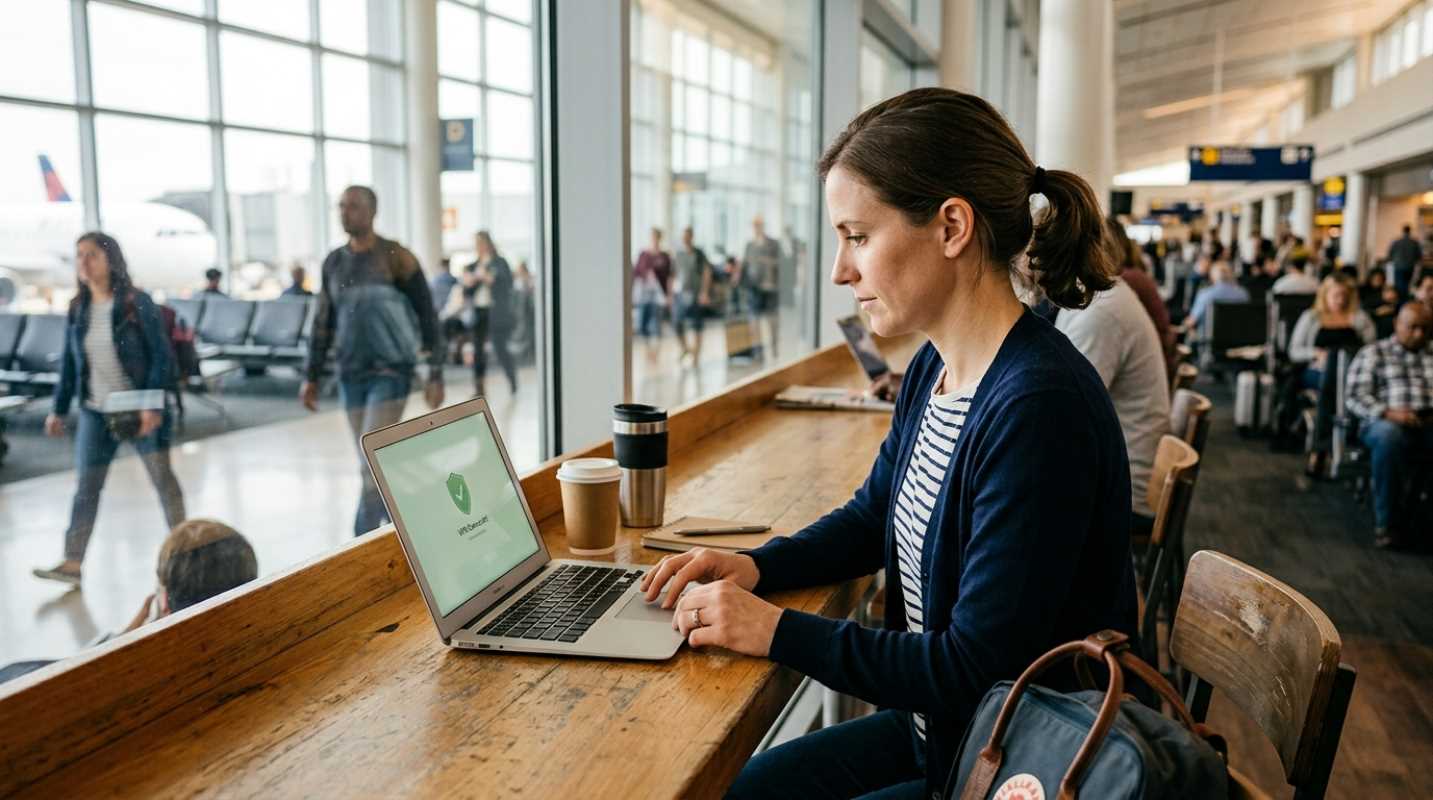
Picture this. You just stepped off a grueling twelve-hour flight, your phone is buzzing with notifications, and you are desperate to find your hotel. What's the first thing you do? For most of us, we instantly scan the airport terminal for free public Wi-Fi.
It's a lifesaver in the moment, but it's actually one of the riskiest things you can do while abroad. We tend to trust airports, cozy cafes, and hotel lobbies because they feel safe. But physical safety doesn't translate to digital safety.
So what's the actual threat? The primary danger is a Man-in-the-Middle attack. Think of it like a digital eavesdropper sitting at the next table, quietly reading over your shoulder. When you connect to an unencrypted public network, a hacker can position themselves between your device and the Wi-Fi router. They can intercept every piece of data you send and receive.
The statistics paint a worrying picture. A July 2025 survey revealed that while 66.5% of people worry about public Wi-Fi safety, nearly one in four users still forgo basic protective measures like VPNs or security software.¹ In fact, only about 20.2% of people are confident they can spot a malicious network.¹ The reality is that one in four travelers have actually had their personal information compromised while on the go.
We're not just talking about theoretical risks here. Just look at what happened in September 2024, when public Wi-Fi networks at 19 major UK train stations were suspended after a massive cybersecurity breach.² Hackers hijacked the login screens to display malicious messages to passengers trying to get online.
Even worse, hackers have set up fake networks at Tesla Supercharger stations. Unsuspecting drivers connected to what they thought was a helpful hotspot, entered their credentials on a fake login page, and had their accounts stolen. In mid-2025, security agencies even warned about a massive wave of "Evil Twin" attacks at major international airports. Attackers set up rogue hotspots with names like "Airport_WiFi" instead of "Airport_Wi-Fi" to trick travelers and steal their session tokens.
Your First Line of Defense Using a VPN for Travel
If you must use public networks, your single best tool is a Virtual Private Network (VPN). What does a VPN actually do? It creates an encrypted tunnel for your internet traffic. Think of it as sending your data through a secure, armored car instead of throwing it out in the open.
Now, you might hear some tech-savvy folks argue that VPNs are outdated because almost all websites use HTTPS encryption these days.³ It's true that HTTPS protects your passwords and credit card numbers from being read in plain text. But HTTPS doesn't hide everything.
Without a VPN, the public Wi-Fi operator can still see every single domain you visit. They know you are looking at your bank website, how long you stay there, and what apps you are opening. This metadata can be harvested and sold. Worse, hackers can use sophisticated tricks to bypass HTTPS on less secure websites or hijack the login portals you see at hotels.
A reputable VPN shields all of this. But you have to choose wisely. Avoid free VPN services at all costs. About one-third of travelers outside the US still use free VPNs, which often make money by logging your browsing history, selling your data, or injecting ads into your browser.⁴
Instead, stick to a paid, independently audited "no-logs" provider. When you pay for a service, you are the customer, not the product.
Needed Security Habits for Every Traveler
Using a VPN is a great start, but software alone cannot save you from bad habits. Staying safe abroad requires a few simple shifts in how you interact with your devices.
Here are the most important daily habits you should adopt on the road
• Disable auto-connect: Turn off the feature that allows your phone or laptop to automatically join open Wi-Fi networks. If you leave this on, your phone might silently connect to a malicious "Evil Twin" network as you walk down the street.
• Check the spelling: Never just connect to the strongest open signal. Ask the cafe barista or the hotel front desk for the exact name of their network and the password.
• Stick to HTTPS sites: Keep an eye on your browser address bar. If a website doesn't have the padlock icon or starts with HTTP instead of HTTPS, close it immediately.
• Avoid sensitive accounts: Never log into your bank accounts, pay bills, or access work documents while connected to public Wi-Fi. If you absolutely have to do it, make sure your VPN is running first.
• Forget the network: Once you leave a business, go into your settings and manually click "Forget Network." This stops your device from searching for and reconnecting to that network in the future.
Using Cellular Data as a Secure Alternative
What if you could bypass public Wi-Fi altogether? Today, you can. Cellular data is inherently much safer than any public Wi-Fi hotspot.
When you use 4G or 5G, your data is encrypted at the carrier level using infrastructure that local hackers cannot easily access. It's a direct, private connection between your phone and the cellular tower, rather than a shared network where anyone can sniff your traffic.
Because of this, security experts now recommend using your cellular connection for any sensitive tasks. Keep your banking and emailing on cellular data, and reserve public Wi-Fi for low-risk, high-bandwidth activities like streaming a movie in your room.
How do you get affordable data abroad without returning home to a massive roaming bill? The easiest solution in 2026 is a travel eSIM.
Instead of swapping physical SIM cards, you can download a digital eSIM before you leave. Services like Saily, Airalo, or Nomad let you buy cheap, local data packages for almost any country. You can then use your phone as a mobile hotspot to connect your laptop securely, keeping your computer off public networks entirely.
Your Pre-Trip Digital Safety Checklist
Before you pack your bags and head to the airport, spend ten minutes securing your devices. A little preparation goes a long way.
Use this quick checklist to make sure your digital defenses are ready
1. Update your software: Install every pending update for your operating system, web browsers, and apps. These updates contain security patches that fix vulnerabilities hackers love to exploit.
2. Install your VPN early: Download and set up your VPN while you are still at home. Some countries block access to VPN websites, making it impossible to download them once you arrive.
3. Turn off device sharing: Disable file sharing, printer sharing, and network discovery on your laptop. If you use an iPhone, change your AirDrop settings to "No One" so strangers cannot send you malicious files.
4. Enable two-factor authentication: Set up two-factor authentication (2FA) on all your important accounts. Even if a hacker managed to steal your password through a fake login page, they cannot access your account without that second-factor code.
By taking these steps, you can enjoy your travels without worrying about your digital footprint. Stay alert, keep your VPN active, and rely on cellular data whenever you can.
Sources:
1. Panda Security Public Wi-Fi Safety Survey
https://www.pandasecurity.com/en/mediacenter/public-wifi-safety-survey/
2. Pipcall Riskiest Places to Use Public Wi-Fi
https://www.pipcall.com/blog/the-top-5-riskiest-places-to-use-public-wi-fi-in-2025
3. Proton VPN Public Wi-Fi and HTTPS
https://protonvpn.com/blog/public-wifi-and-https
4. Local Geeks Public Wi-Fi Safety
https://localgeeks.com.au/is-it-safe-to-use-free-public-wi-fi-in-2025/